
We’ve all been there—one moment your phone is the perfect companion, and the next, it’s got a cracked screen. While this can sometimes feel like the end of the world, it doesn’t have to put a dent in your wallet. This guide will walk you through affordable solutions to get your phone screen repaired without stress.
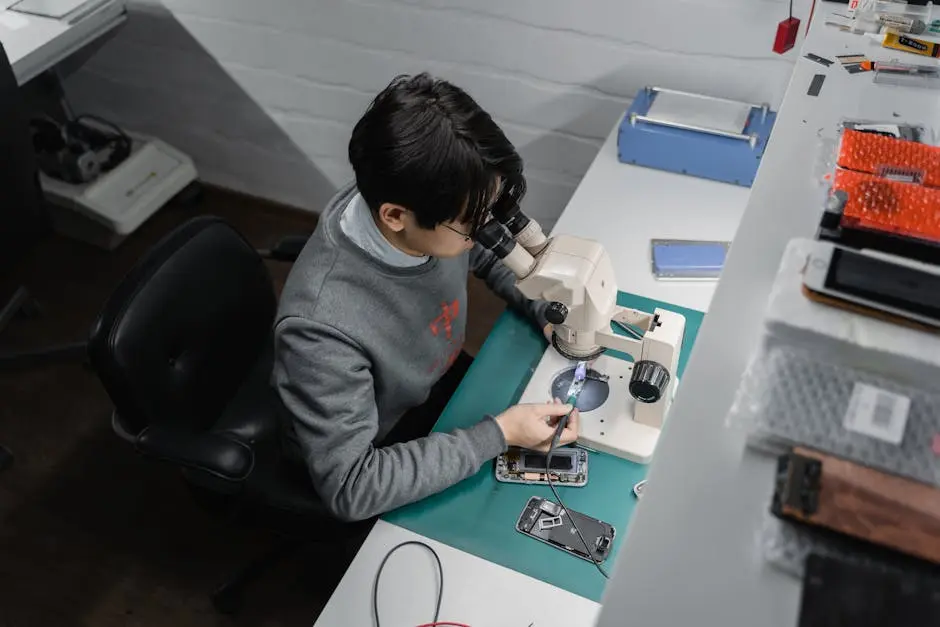
Understanding the Severity of Your Screen Damage
Before jumping to conclusions, assess the extent of the damage. Is it a minor crack that barely affects functionality? Or is it severe enough to hinder display or touch responsiveness? Evaluating the severity will guide your next steps.
Understanding the severity of screen damage can help you decide whether to attempt a DIY repair or seek professional help. Minor scratches often do not affect the phone’s functionality and can sometimes be ignored with a screen protector. However, deeper cracks that extend to the LCD might cause display issues or even render the touchscreen unusable. Identifying issues such as flickering or unresponsive touch can indicate extensive damage beyond superficial cracks. To prevent further complications, it’s crucial to evaluate every symptom related to the crack. If you notice rainbow lines, inconsistent display colors, or a persistent decrease in touch sensitivity, the problem might have delved deeper into the screen layers. An accurate assessment not only helps in choosing the right repair method but also in securing the right tools if you’re going the DIY route or in describing the problem accurately to a repair technician.
DIY Repair: When and How to Do It Yourself
For those comfortable with tools, a DIY approach can be an economical solution. Kits are available online that include tools and replacement screens. Follow tutorials carefully to avoid further damage.
DIY repair can often be an attractive option for those who enjoy hands-on projects or are working with a tight budget. To successfully replace a damaged screen, begin by researching the suitability of various kits available online, ensuring you get high-quality tools and parts. A thorough inspection of the phone’s damage can also help decide the precise equipment needed. Pay close attention to detailed online guides and instructional videos that step you through each phase of the repair process. Essential items typically include precision screwdrivers, tweezers, plastic pry tools, and suction cups. Additionally, make sure the replacement screen is compatible with your device model for seamless integration. Despite its potential to save money, DIY screen repair carries risks, especially if electrical components like the LCD are involved. Ensure that you have enough time set aside, as patience and precision are critical to successful repairs.
For first-time DIYers, preparation is key. Accumulate the necessary tools and familiarize yourself with the phone’s layout beforehand. Disconnecting the battery before starting is crucial as it prevents further damage during the repair. By powering down and even removing the battery, you minimize the risk of short circuits or electrocution. After setting up a clean workspace with ample lighting, carefully remove the cracked screen, avoiding damage to internal components. Heat application may also be necessary to loosen the adhesive binding the screen to the phone’s frame. Consider using a hairdryer or specialized heat gun for this purpose. Reassembly should be done meticulously to ensure all connectors are securely in place, preventing future touch response issues.
Professional Repair Services: Finding Affordable Options
Sometimes, leaving it to the professionals is the best route. Look for certified and reputable repair shops that offer competitive pricing. Some brands even offer discounted repair services for frequent customers.
Choosing a professional repair service can often save time and ensure a quality fix. It’s essential to identify reputable repair shops well-versed with your device’s model. Certified repair centers are often the safest option, providing expert technicians who ensure the job is done right the first time. Their access to Original Equipment Manufacturer (OEM) parts facilitates a more seamless repair that can extend your device’s lifespan. Compare repair costs across a few local shops, considering both the cost and repair warranty offered. Warranties are a sign of the shop’s confidence in their repairs, covering any potential errors in service. Also, some shops may offer promotional discounts or membership perks reducing overall repair costs, making it more budget-friendly while ensuring comprehensive service.
When seeking professional repairs, it’s crucial to consider the repair shop’s reputation and customer reviews. Word-of-mouth or online testimonials can offer insights into the reliability and craftsmanship of their services. It’s equally important to verify whether the replacement screen parts match OEM quality. Questions about the purity of the components can prevent future complications. Assess the repair timelines as well, knowing that some shops may require more time due to workload or unavailability of parts. Discuss the timeframe in advance to set realistic expectations. QuickFix Gadgets and TechRescue in Spring, for instance, are renowned for their efficient repair services and quick turnaround times. Such aspects collectively ensure you obtain the best service, protecting your device’s longevity without exceeding your budget.
Understanding Manufacturer Warranty and Insurance Options
Checking your phone’s warranty or insurance can save you money on screen repairs. Some manufacturers offer repair services or replacement under warranty, so always check your coverage.
A damaged screen can often be repaired at minimal or no cost if your device is still under manufacturer warranty. Familiarize yourself with what your warranty terms cover. Some manufacturers, such as Apple and Samsung, provide repair services for screen damage within the warranty period, although conditions such as accidental damage might not be covered fully. Investigating your warranty prior to seeking repairs can reveal potential for receiving subsidized repairs or full replacements. If your device is beyond warranty coverage, third-party insurance plans might offer affordable repair or replacement options for accidental damage. Such plans provide extended protection even beyond the manufacturer’s coverage, proving cost-effective in the event of spontaneous mishaps.
When selecting an insurance plan or evaluating an existing one, review the specifics, including deductibles and premiums, to ensure cost efficiency in the long run. High deductibles may diminish the benefit compared to paying outright for repairs, while higher premiums might offset the savings over a longer span. Meanwhile, explore options provided by your wireless carrier or third-party brokers, often tailored for varying levels of coverage including physical damage, technical failure, and even theft. Thoroughly understanding the terms aids in determining which policies best align with your specific device usage and budget, paving the way for affordable care for your device when necessity strikes.
Preventing Future Screen Damage
Invest in a good quality screen protector and a sturdy phone case. These simple accessories can go a long way in preventing future mishaps. Additionally, being mindful of where and how you use your phone can also prevent damage.
Prevention remains the best strategy when it comes to maintaining an intact phone screen. Constructing layers of protection is vital—beginning with a high-quality screen protector. Options such as Gorilla Glass protectors provide a durable barrier against everyday abrasions while retaining touch sensitivity and visual clarity. Complementing the screen protector with a robust phone case enhances shock absorption, shielding your device during accidental drops or impacts. Consider cases with features like reinforced corners and tactile grips for a secure hold, significantly lowering the chance of mishaps.
Beyond physical protectors, establishing practical habits reduces potential risks. Handle your device with care, avoiding risky or precarious places like pocket edges or crowded bags where sharp objects may be present. Use accessories such as pouches or padded compartments when storing your phone to shield it from unintended knocks. Regularly inspect your device for signs of wear, swiftly addressing cracks or chips to prevent escalation. These mindful practices minimize the likelihood of seeking frequent repairs, allowing not only financial savings but also continuity of your device’s pristine condition.
Cost-Effective Screen Repair and Maintenance Tips
Repairing a cracked screen doesn’t need to be a daunting or expensive task. By considering the DIY route, opting for professional repairs when necessary, and implementing preventative measures, you can save both time and money. Remember, taking care of your devices prolongs their life and keeps you connected without unnecessary interruptions.

