
Tablets have become an essential part of our daily lives, offering a blend of portability and functionality. However, like any device, they can encounter problems from time to time. In this blog, we’ll explore some common tablet issues and provide quick fixes to help you get your device back up and running smoothly.
Understanding Basic Tablet Problems
Before diving into fixes, it’s important to understand some of the most frequent issues tablet users face. This includes screen damage, charging problems, and software glitches. Screen damage is often a result of accidental drops or impacts, causing cracks or complete shattering. Charging problems, on the other hand, could stem from faulty adapters, damaged charging ports, or even software issues that prevent proper battery functions. Software glitches can range from unresponsive apps to more severe issues such as system crashes that prevent the tablet from booting up. Recognizing these problems early can help you determine the best approach to getting your tablet back in shape.
Tablets, being portable and handled frequently, are also prone to physical wear and tear. Common signs include sluggish response times, overheating, and connectivity issues. Overheating might occur due to prolonged usage or environmental factors, potentially leading to other hardware problems if not addressed. Connectivity issues often come from software misconfigurations or network problems that aren’t inherent to the device itself. However, identifying whether it’s the software or hardware causing the glitch is crucial, as it dictates whether you can fix the issue yourself or need professional help.
Fixing Screen and Display Issues
A cracked screen or a display that won’t turn on can be alarming. Learn about basic steps you can take before deciding if professional repair is necessary. For instance, if your tablet falls and the screen cracks, immediately assess the damage. Check if the touchscreen still works; if it’s responsive, you might get by with a screen protector until you can replace the screen. In less severe cases, simply restarting the device can sometimes revive an unresponsive screen. If the display remains dead, however, ensure it’s not a power issue by charging the tablet or trying a different charger and cable.
In situations where the display seems to have lighting issues—like screen flickering or dimness—start by checking the device settings to ensure the brightness is appropriately adjusted and automatic brightness is turned off. A flickering or dim screen might also be due to a loose connection internally, requiring professional repair. For persistent issues with the display, such as ghost touches or color problems, a software update may be necessary as manufacturers often release updates to fix bugs or glitches reported by users. Always keep your device’s software up-to-date to avoid lingering problems.
Dealing with Battery and Charging Problems
Battery issues are common in tablets, often due to overuse or aging. Discover the do’s and don’ts of handling battery problems to help prolong your tablet’s life. Firstly, avoid draining your battery completely before recharging. This habit can reduce battery lifespan over time. Instead, try to keep the battery level between 20% to 80% for optimal performance. If your tablet isn’t charging, inspect the charging port and adapter for any visible debris or damage, as this can interfere with charging efficiency.
Charging troubles can sometimes be linked to software features. For instance, if you’ve recently updated your tablet’s software, it’s possible that a bug is affecting battery performance. Additionally, background apps are notorious for draining batteries rapidly. Consider closing unused apps or utilizing battery-saving modes provided natively by most tablet operating systems. If these troubleshooting methods do not work, it may be time to consult a professional technician who can test and potentially replace the battery.
Resolving Software-Related Troubles
From apps crashing to freezing interfaces, software issues can be varied. Explore simple troubleshooting steps to tackle these frustrating glitches. Often, app crashes can be resolved by clearing the app cache within the device settings or uninstalling and reinstalling the troublesome app. If your tablet frequently freezes, a basic restart can sometimes clear temporary data causing the problem. Performing a soft reset, which does not erase any personal data, might solve more persistent glitches that a simple restart cannot.
Updating the device software can mitigate many software-related issues, as updates usually contain patches for known bugs. However, if a software update has caused the problems, researching online for potential patches or fixes can be helpful. Doing a factory reset is usually a last resort, as it erases all data on the device and restores it to its original state. This method is effective for ridding the device of complex software issues that cannot be resolved through conventional means. Always back up important information before proceeding with a factory reset to ensure no critical data is lost.
When to Seek Professional Help
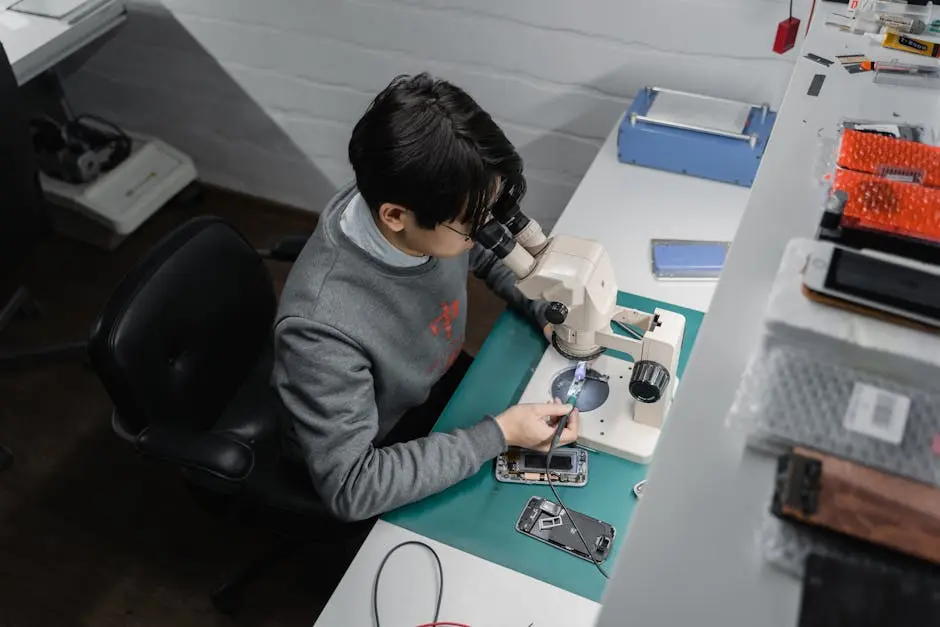
Certain problems require a technician’s expertise. Knowing when to visit a ‘tablet repair near me’ provider can save both time and further headaches. If your tablet is under warranty, utilizing manufacturer repair services may be the best course of action. Problems such as severe screen damage, persistent hardware malfunctions, or internal component failures can often be more efficiently handled by professionals equipped with the proper tools and experience.
If you’re ever unsure about a problem, it’s wise to consult with skilled professionals before attempting any major repairs yourself. Attempting to resolve complex issues without the right knowledge could void your warranty or cause more significant damage. Fortunately, finding a reliable tablet repair service nearby is as simple as searching online, ensuring that your device is in qualified hands when difficulties arise. Remember, while DIY solutions can be effective, professional guidance ensures long-term reliability and performance.
Getting Your Tablet Back on Track
Tablet issues can be frustrating, but with a bit of know-how, many problems can be resolved quickly and efficiently. Remember, when in doubt, seeking professional repair services that are conveniently located ‘near me’ can save both time and further complications.

